Table of Contents
ToggleHPC Guide – Middle Stage – Ministry of Education (Holistics Progress Card)
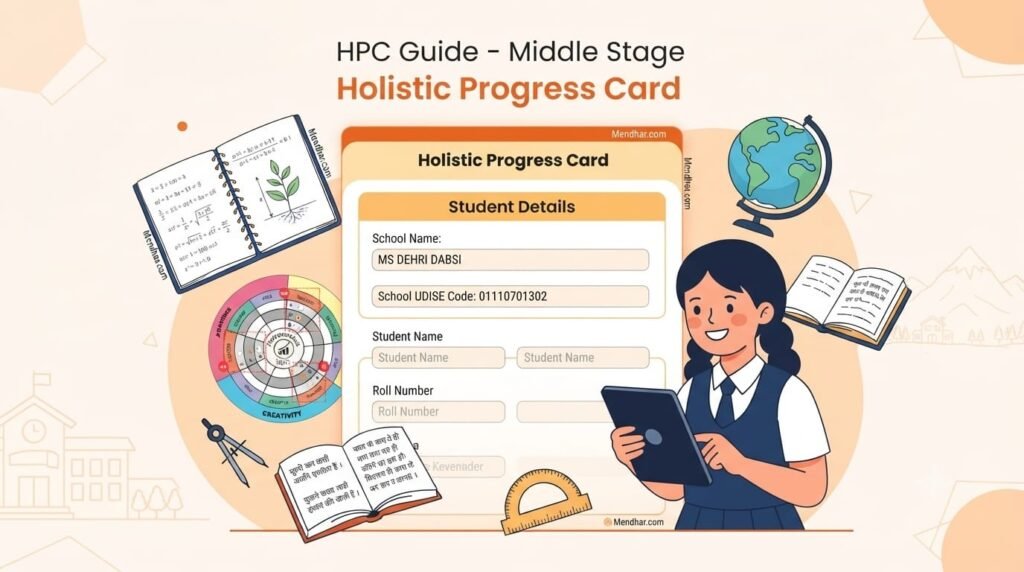
How to Fill Holistic Progress Card (HPC) – Middle Stage (Grades 6, 7 & 8): Complete Step-by-Step Guide (Sheet 1 of 4)
Official PARAKH NCERT & Ministry of Education Portal Walkthrough (hpc.parakh.ncert.gov.in) — Covering Portal Navigation, School Profile, Student General Information, and Attendance Records.
Overview of the PARAKH NCERT Middle Stage Holistic Progress Card (HPC)
The Holistic Progress Card (HPC) for the Middle Stage (Grades 6, 7, and 8), developed by PARAKH (NCERT) under the Ministry of Education, Government of India, replaces traditional marks-only report cards with a 360-degree multidimensional evaluation framework. Aligned with the National Education Policy (NEP) 2020 and the National Curriculum Framework for School Education (NCF-SE), this digital portal captures inputs from teachers, students, peers, and parents/guardians across three core abilities: Awareness, Sensitivity, and Creativity.
This four-part comprehensive guide reproduces every form interface, field rule, character limit, rubric descriptor, and credit calculation table directly from the official Middle Stage HPC manual so educators, students, and parents can complete the portal accurately without data loss.
1. Navigation Buttons Guide on the HPC Portal
Portal Interface Controls — Applicable Across All SectionsBefore entering data into any section of the Middle Stage HPC portal, familiarize yourself with the four primary action buttons located at the bottom of every screen:
| Button Label | Portal Function & Usage Rule |
|---|---|
| ← Back | Returns directly to the previous section of the Holistic Progress Card without losing saved entries. |
| Save as Draft | Saves all current progress safely on the server so you can log out and continue filling the card later. |
| Continue | Saves the active page's entries and automatically moves forward to the next sequential section. |
| Mark as Complete | Triggers the final submission of the Holistic Progress Card (available on the last page only). |
2. School & Location Details
System Auto-Filled Section — Read-OnlyThe opening block of Part A displays official school and educator identification records fetched directly from the UDISE+ and NCERT database.
Action Required: This entire section is already filled by the system. The information is locked and cannot be edited. There is nothing to fill here—simply verify your school details and scroll down to the next section.
3. General Information (Student Profile)
To be filled by the Teacher in consultation with Caregiver / ParentThis section links the student's national academic identifiers with classroom demographic details across Grade 6, Grade 7, or Grade 8.
- 1Student Name: This field is auto-filled from the system. No action required.
- 2Roll Number: Enter the official roll number assigned by the school Within 5 characters.
- 3Registration Number: This field is auto-filled from the system. No action required.
- 4APAAR ID: Automated Permanent Academic Account Registry ID auto-filled from the system. No action required.
- 5Grade: Displays Grade 6, Grade 7, or Grade 8 automatically from the system. No action required.
- 6Section: Auto-filled class section from the system. No action required.
- 7Mother Tongue: Enter the student's primary mother tongue in the text input field provided.
- 8Medium of Instruction: Prefilled from the system (e.g., English or Hindi). Change it using the dropdown menu if required.
- 9Rural / Urban: Prefilled from the school's location profile. Change it in the dropdown if required.
4. Monthly Attendance Record (April to March)
To be filled by Teachers Only — Student / Parent / Peer Cannot EditTeachers record monthly working days and student presence across all 12 months of the academic session (APR, MAY, JUNE, JULY, AUG, SEP, OCT, NOV, DEC, JAN, FEB, MAR). The portal computes totals and attendance percentages automatically.
| Attendance Parameter | APR | MAY | JUN | JUL | AUG | SEP | OCT | NOV | DEC | JAN | FEB | MAR | Total |
|---|---|---|---|---|---|---|---|---|---|---|---|---|---|
| 1. No. of Working Days | 0 | 0 | 0 | 0 | 0 | 0 | 0 | 0 | 0 | 0 | 0 | 0 | Auto (2) |
| 3. No. of Days Present | 0 | 0 | 0 | 0 | 0 | 0 | 0 | 0 | 0 | 0 | 0 | 0 | Auto (4) |
| 5. % of Attendance | 0% | 0% | 0% | 0% | 0% | 0% | 0% | 0% | 0% | 0% | 0% | 0% | Auto (6) |
| 7. If attendance is low then reasons thereof | Text Box (Within 240 characters / up to 2 lines): e.g., Frequent cold & cough / Outstation visit / Family reason. | ||||||||||||
- 1No. of Working Days: Enter the total number of school working days in each month (based on the school leave calendar). Replace the default
0with the exact count. - 2Total (No. of Working Days): Calculated automatically by the system for the entire row. No action required.
- 3No. of Days Present: Enter the exact number of days the student attended school in that month, replacing the default
0. - 4Total (No. of Days Present): Calculated automatically by the system across all twelve months. No action required.
- 5% of Attendance: Automatically calculated by the portal based on working days and days present. This field is locked and cannot be edited.
- 6Overall Total %: The cumulative annual attendance percentage is calculated automatically by the system.
- 7If Attendance is Low (Reasons Thereof): Enter a concise explanation if attendance falls below school norms Within 240 characters (up to 2 lines). Leave blank if attendance is normal. Example: Frequent cold & cough / Outstation visit / Family reason.
HPC Guide – Middle Stage (Grades 6–8): Student Voice & Parent Observation (Sheet 2 of 4)
Detailed Walkthrough of Part A (Sections 2 to 4): Student Interests, All About Me, Academic & Personal Goal Setting, My Learnings, My Ambition Card, and Parent/Guardian Partnership Card.
5. Interest (Student's Interests)
To be filled by StudentsStudents select one or more hobbies and co-curricular activities they genuinely enjoy participating in:
- 1Activities the child enjoys: Tick the checkbox(es) next to all activities the student enjoys. Multiple options may be selected.
- 2Other: Selecting the Other checkbox dynamically reveals an additional text box below.
- 3Please specify: Enter any activity or interest not listed in the checkboxes Within 320 characters (up to 2 lines). Example: Cycling / Swimming / Storytelling.
6. All About Me (Student Identity & Self-Awareness)
To be filled by the StudentThis reflective card helps middle-stage learners articulate their home environment, personal strengths, areas for improvement, and empathy toward others.
- 1I live with my...: Write who the student lives with (Example: parents / grandparents / guardian) Within 27 characters.
- 2We stay at...: Enter the name of the locality, village, or city where the student lives (Example: Dwarka, Delhi) Within 27 characters.
- 3I spend my free time doing...: Write hobbies or leisure activities enjoyed (Example: reading) Within 48 characters.
- 4I am doing very well: Mention a subject, habit, or skill the student excels at Within 64 characters.
- 5I am responsible (sometimes / most times / all the time): Type one of the three frequency phrases:
sometimes,most times, orall the timeWithin 25 characters. - 6I could do better specially when it comes to...: Identify one specific area for personal or academic growth (Example: staying focused during long tasks) Within 38 characters.
- 7I care about others. I show it by...: Describe how the student demonstrates kindness or empathy (Example: being kind, sharing my things) Within 48 characters.
- 8I feel proud of myself when...: Share a moment of personal pride (Example: when I learn something new) Within 48 characters.
- 9Name box: Type the student's full name Within 20 characters.
7. My Goal Setting (Academic Goal & Personal Goal)
To be filled by the StudentStudents define one Academic Goal and one Personal Goal along with clear reasons and two actionable steps for each:
10. My Academic Goal: What the student wants to improve (e.g., improve my English reading and writing) Within 75 chars (up to 3 lines).
11. This goal is important to me because...: Why it matters (e.g., it will help me understand my lessons better) Within 48 chars.
12. Step 1: First daily action step (e.g., I will read for 20 minutes every day) Within 85 chars.
13. Step 2: Second action step (e.g., I will practice writing one paragraph daily) Within 85 chars.
14. My Personal Goal: Personal development target (e.g., be more confident when speaking in class) Within 75 chars (up to 3 lines).
15. This goal is important to me because...: Why it matters (e.g., I want to share my ideas without fear) Within 48 chars.
16. Step 1: First practical step (e.g., I will raise my hand at least once every day) Within 85 chars.
17. Step 2: Second practical step (e.g., I will practice speaking in front of my family) Within 85 chars.
8. Section 3 – My Learnings & For My Teacher
To be filled by the Student- 18Three new things I learnt at school: List 3 classroom takeaways (e.g., 1. How to solve word problems in Maths. 2. Parts of a plant in Science. 3. A new English poem.).
- 19Three new things I learnt outside school: List 3 life skills learned at home, playground, or community (e.g., 1. How to ride a bicycle safely. 2. How to help my parents at home. 3. How to plant a small tree.).
- 20I would like my teacher to help me with...: Specify an area needing teacher support (e.g., Improving my handwriting and spelling) Within 290 characters (up to 2 lines).
- 21I would like my teacher to know that...: Share a brief note on feelings, effort, or interests (e.g., I enjoy drawing and working in groups) Within 48 characters.
9. My Ambition Card & "I Will..." Action Plan
To be filled by the StudentStudents map their future career aspiration, essential skills, daily habits, and mentorship plan:
| Field # & Prompt | Instructions & Official Portal Examples | Character Limit |
|---|---|---|
| 1. My ambition is... | Type career dream/ambition. Example: Police Officer, doctor, artist, cricketer, software engineer. | Within 250 chars (up to 2 lines) |
| 2. 5 skills I need to achieve my ambition | List 5 core skills across the boxes. Example: Bravery, Honesty, Discipline, Physical fitness, Consistency. | Within 200 chars total (up to 5 lines) |
| 3. I will achieve my ambition by | Write daily actions/practices. Example: Studying hard every day, Staying physically fit. | Within 85 chars (up to 2 lines) |
| 4. Subjects I need to focus on | List key school subjects. Example: Social Science, Science, English. | Within 130 chars (up to 3 lines) |
| 5. To achieve my ambition, I need my habits to be | Describe positive daily habits. Example: Waking up early, Exercise daily, Respecting elders, Speaking truth always. | Within 200 chars (up to 5 lines) |
| 6. I will take guidance from... | Identify mentors. Example: my teacher and parents, mentor, coach. | Within 70 chars |
| 7. I think this person will help me by... | Explain how they support you. Example: guiding me properly, giving feedback, teaching step by step. | Within 90 chars |
| 8. I will learn new... | Specify new skills to acquire. Example: programming and problem solving skills, speaking confidently. | Within 110 chars |
| 9. I will feel... when I achieve my ambition | Express expected emotion. Example: proud and confident, happy. | Within 85 chars |
| 10. My parents will feel... when I achieve my ambition | Describe parents' expected reaction. Example: proud, excited, inspired. | Within 75 chars |
10. Parent-Teacher Partnership Card & Home Support Plan
This part will be filled by the Parent / Caregiver / GuardianA. Home Learning Resources (Items 1–2)
Parents tick all educational resources available to their child at home:
2. Any other (please specify): Enter any additional home learning resource Within 45 characters.
B. Understanding of My Child (Items 3–6)
Parents circle one emoji response (Yes | Sometimes | No | Not Sure) for each of the four statements:
- 3"My child seems motivated to learn and engage with new concepts learnt at school." (Yes / Sometimes / No / Not Sure)
- 4"My child follows a schedule at home that includes curriculum and other activities, social connectivity and screen time." (Yes / Sometimes / No / Not Sure)
- 5"My child finds the grade-level curriculum difficult and needs additional support." (Yes / Sometimes / No / Not Sure)
- 6"My child is making good progress as per the grade." (Yes / Sometimes / No / Not Sure)
C. School Support Areas & Home Action Plan (Items 7–8)
7. At school, my child needs support with: Parents tick all applicable academic and socio-emotional areas:
8. Based on my discussion with the teacher, I will support my child at home by: Write a concrete home-support commitment Within 750 characters (up to 6 lines). Official Examples: Creating a regular, quiet homework and reading time each evening; Checking in gently every day about what they learned; Encouraging good study habits (neat notebook, planner); Praising effort and progress to build confidence; Communicating regularly with the teacher via email/meetings.
HPC Guide – Middle Stage (Grades 6–8): Part B Activity Rubrics, Self-Reflection, Peer Feedback & Progress Wheel (Sheet 3 of 4)
Complete 56-Step Technical Walkthrough of Part B on hpc.parakh.ncert.gov.in — Covering Competency Mapping, Multi-Level Assessment Rubrics, Progress Grids, and the Scoring Key.
11. Add Activity through Assessment Rubric (Steps 1–29)
To be filled by the TeacherPart B uses a 7-stage vertical stepper (1. Activity Details → 2. Domain, CG & Competencies → 3. Activity → 4. Assessment Rubric → 5. Student's Self Reflection → 6. Peer Feedback → 7. Teacher's Feedback).
Stage 1 & 2: Activity Setup & Competency Alignment (Steps 1–12)
- 1+ Add Activity Button: Click the primary orange
+ Add Activitybutton on your dashboard to initiate a new activity. - 2Create Manually: Select this radio option to build a custom classroom activity from scratch, entering all details manually.
- 3Pick from Activity Bank: Or select from pre-existing NCERT activities using sub-filters: 3.1 Domain (Learning Standard dropdown), 3.2 Grade (dropdown), 3.3 My Activities / Global Activities tabs, 3.4 Search box, 3.5 Cancel, and 3.6 Use Activity button.
- 4Filter by Domain: Filter existing dashboard activities by subject domain.
- 5Activity List: Left sidebar listing created activities; click any item to edit.
- 6Activity Setup Stepper: Vertical progress tracker highlighting your active stage from Step 1 to Step 7.
- 7Activity Name (Required): Enter the title of the activity (e.g., Tinka-Tinka Rang).
- 8Learning Standard: Select the relevant subject domain (e.g., Language 1 (R1)) from the dropdown.
- 9Curricular Goals (CG): Tick one or more Curricular Goals (e.g.,
L1CG1,L1CG2). - 10Competency / Competencies: Select one or more aligned competencies (e.g.,
L1C1.1,L1C1.2,L1C1.3). - 11Selected Competencies Summary: View linked competency tags pinned at the top of the workspace.
- 12Delete Activity: Click the top-right trash icon to permanently delete the activity if needed.
Stage 3: Activity Design & Assessment Questions (Steps 13–17)
- 13Approach of the Activity: Tick all applicable pedagogical approaches: Art-Integrated, Sports-Integrated, Toy-Based, Technology-Integrated, or Any Other. If Any Other is checked, fill the text box Within 54 characters.
- 14Activity Upload: Click
Uploadto attach supporting images or reference files for the activity. - 15Assessment Questions Upload: Click
Uploadto attach visual prompts or worksheets for assessment questions. - 16Activity Description: Enter step-by-step instructions and suggested activity flow Within 4000 characters (up to 48 lines).
- 17Assessment Questions: Enter probing questions to evaluate learner understanding Within 4000 characters (up to 48 lines).
Stage 4: Assessment Rubric Matrix (Steps 18–29)
Teachers define observable descriptors across three performance levels (Beginner, Proficient, Advanced) for each ability Each text area within 650 characters (up to 15 lines) and click the radio button matching the student's observed performance:
| Ability | Beginner | Proficient | Advanced | Selection Radio |
|---|---|---|---|---|
| Awareness | Step 18: Beginner descriptor | Step 19: Proficient descriptor | Step 20: Advanced descriptor | Step 21: Select level |
| Sensitivity | Step 22: Beginner descriptor | Step 23: Proficient descriptor | Step 24: Advanced descriptor | Step 25: Select level |
| Creativity | Step 26: Beginner descriptor | Step 27: Proficient descriptor | Step 28: Advanced descriptor | Step 29: Select level |
12. Stage 5 – Student's Self Reflection (Steps 30–37)
To be filled by the StudentStudents evaluate themselves on the My Progress Grid (6 statements per ability = 18 total statements) and complete four reflection prompts:
- I was able to learn something new.
- I was attentive to every detail of the activity.
- I was able to understand the activity.
- I was able to focus and engage with the activity.
- I was able to follow the instructions.
- I was able to find purpose and meaning in the activity.
- I was able to understand and express my emotions.
- I was able to motivate myself and my peer when things were difficult.
- I was able to understand the emotions of my peer.
- I was able to seek and use support from my peers and teacher.
- I was able to contribute individually or as a group member.
- I was able to help others in some way.
- I was curious to explore and learn new things during the activity.
- I was able to think of 'out of the box' solutions.
- I was able to think of new ways to do the activity.
- I was able to express my creativity while doing the activity.
- I was able to generate innovative ideas.
- I was able to take calculated risks.
- 33No. of Statements Circled: Count circled statements in each column (0–6) and enter totals for Awareness, Sensitivity, and Creativity.
- 34By doing this activity, I learnt: Write 1–2 lines summarizing what you learned Within 235 characters (up to 2 lines).
- 35The most interesting thing about this activity was: Describe the most engaging part Within 70 characters.
- 36I need practice on: Name the skill requiring more practice (e.g., painting neatly) Within 35 characters.
- 37I need help with: Name the task needing teacher/peer help (e.g., using the brush more carefully) Within 35 characters.
13. Stage 6 – Peer Feedback (Steps 38–47)
To be filled by the Peer from the Student's Account- 38My Name: Enter the assessing peer's name Within 20 characters.
- 39My Peer's Name: Enter the name of the student being reviewed Within 20 characters.
- 40Peer Engagement & Motivation: Circle Yes / Sometimes / No / Not Sure for "My peer was engaged and motivated during the activity."
- 41Peer Sharing of Thoughts & Ideas: Circle Yes / Sometimes / No / Not Sure for "My peer effectively shared thoughts and ideas during the activity."
- 42Peer Awareness Statements: Circle true statements out of 6 in the Awareness column of My Peer's Progress Grid.
- 43Peer Sensitivity Statements: Circle true statements out of 6 in the Sensitivity column.
- 44Peer Creativity Statements: Circle true statements out of 6 in the Creativity column.
- 45Peer Totals: Count circled statements (0–6) for Awareness, Sensitivity, and Creativity and record the totals.
- 46My peer needs to practice: Enter the area where the peer needs more practice Within 100 characters (up to 2 lines).
- 47My peer needs help with: Enter the area where the peer needs support Within 100 characters (up to 2 lines).
14. Stage 7 – Teacher's Feedback & Student Progress Wheel (Steps 48–56)
To be filled by the TeacherCount the circled statements (out of 6) for each ability (Awareness, Sensitivity, Creativity) on both the Student's Self-Reflection sheet and Peer Feedback sheet to determine the performance ring on the Student Progress Wheel:
- Beginner (B): 0, 1, or 2 statements circled
- Proficient (P): 3 or 4 statements circled
- Advanced (A): 5 or 6 statements circled
- 49Awareness Level Selection: Select the radio button (Beginner / Proficient / Advanced) on the Student Progress Wheel for Awareness.
- 50Sensitivity Level Selection: Select the radio button (Beginner / Proficient / Advanced) on the Student Progress Wheel for Sensitivity.
- 51Creativity Level Selection: Select the radio button (Beginner / Proficient / Advanced) on the Student Progress Wheel for Creativity.
- 52Strengths Identified: Tick all observed strengths: Follow Instructions, Collaboration, Independent Work, Responsible, Communication, Creative, Solution-Focused Thinking, Concentration, Empathy, Organization & Prioritization, Any Other.
- 53Barrier(s) to Success / Areas for Support: Tick applicable barriers: Lack of Attention, Peer Pressure, Lack of Motivation, Undefined Goals, Lack of Preparation, Domestic Issues, Inappropriate behavior in classroom, Severe illness or injury, None, Any Other.
- 54Teacher's Observations and Recommendations: Document participation, strengths, progress, and improvement areas Within 1350 characters (up to 10 lines).
- 55How I can help the student progress further?: Outline concrete next steps and classroom support strategies Within 450 characters (up to 3 lines).
- 56Finish Activity: Click the orange
Finish Activitybutton once all 7 stepper stages are complete to lock and save the activity record.
HPC Guide – Middle Stage (Grades 6–8): Part C Annual Academic Summary & NCrF HPC Credit Calculation (Sheet 4 of 4)
Final Section of the Official PARAKH NCERT Middle Stage Manual — Covering Performance Level Descriptors Across All 11 Domains, Observational Notes, and National Credit Framework (NCrF) Computation.
15. Annual Domain-Wise Performance Level Descriptors & Observational Notes
To be filled by the TeacherIn Part C, teachers synthesize the student's year-long progress across 11 curricular and co-curricular domains plus an Overall Final Summary (total 48 numbered inputs). For every domain, tick Beginner, Proficient, or Advanced under Awareness, Sensitivity, and Creativity, and write one brief Observational Note.
| Item # | Domain / Subject Area | Required Ratings | Official Portal Example for Observational Note |
|---|---|---|---|
| 1–4 | Language 1 (R1) | Awareness, Sensitivity, Creativity + Note | "Student is doing well in Language 1 (R1). Shows good understanding and steadily developing creativity." |
| 5–8 | Language 2 (R2) | Awareness, Sensitivity, Creativity + Note | "Student can do better at Language 2 (R2). With regular practice and reading, performance can noticeably improve." |
| 9–12 | Language 3 (R3) | Awareness, Sensitivity, Creativity + Note | "Student is doing well in Language 3 (R3) and demonstrates confidence and interest in learning." |
| 13–16 | Mathematics | Awareness, Sensitivity, Creativity + Note | "Weak in mathematics, areas to improve. Needs more focus on basic concepts and practice in calculations." |
| 17–20 | Science | Awareness, Sensitivity, Creativity + Note | "Student is doing well in Science and shows curiosity and original thinking in activities." |
| 21–24 | Social Science | Awareness, Sensitivity, Creativity + Note | "Student is doing well in Social Science with good understanding, participation and creativity." |
| 25–28 | Art Education | Awareness, Sensitivity, Creativity + Note | "Very creative, very enthusiastic. Actively participates in activities with originality." |
| 29–32 | Physical Education and Well Being | Awareness, Sensitivity, Creativity + Note | "Can be more proactive — needs to participate more actively and build confidence." |
| 33–36 | Vocational / Skill Education | Awareness, Sensitivity, Creativity + Note | "Student is doing well — demonstrates creativity and interest while learning practical skills." |
| 37–40 | Other Learning Activities (Cultural, Sports, Reading, etc.) | Awareness, Sensitivity, Creativity + Note | "Student participates well in cultural, sports, and reading activities with good awareness and creativity." |
| 41–44 | Bagless Days for Vocational Experience | Awareness, Sensitivity, Creativity + Note | "Student shows good engagement during bagless days and vocational experience activities." |
| 45–48 | Overall (Final Annual Summary) | Awareness, Sensitivity, Creativity + Note | "Doing well overall. Shows strong creativity with steady progress across subjects." |
16. Credits Earned Through HPC (Read-Only Reference Table — Step 1)
To be filled by the Teacher — Reference & Summative Marks EntryUnder the National Credit Framework (NCrF) and National Curriculum Framework (NCF), Middle Stage learners complete 1,200 notional learning hours per year (equivalent to 40 credits per year), where completing the Holistic Progress Card accounts for 70% weightage (28 credits):
| Stage / Hours | Grade Passed / Credits Per Year | Credits Earned via HPC (70%) | Vocational Education & Skilling Equivalence Criteria | NCrF Level | Total Credit Points Earned | Credit Points via HPC (70%) |
|---|---|---|---|---|---|---|
| Middle School 1,200 Hrs/Year |
Grade 6 / 40 Credits | 28 |
• No Formal Education OR Ability to read/write with 1-year experience • AND 210–270 hrs of VET/skilling OR NSQF Level 1 (1-yr exp + 210–270 hrs VET) OR 750 hrs Apprenticeship • Additional: Advance literacy & numeracy at NSQF Level 2 or 3 for Grade 5th/8th certificate equivalence. |
1.33 | 53 | 37 |
| Grade 7 / 40 Credits | 28 | 1.67 | 67 | 47 | ||
| Grade 8 / 40 Credits | 28 | 2.00 | 80 | 56 |
Note: Total credits for each academic year are proportionate to the instructional hours specified in the National Curriculum Framework (NCF).
17. Entering Summative Assessment Marks & Viewing Final Credits (Steps 2–5)
- 2Maximum Marks in Summative Assessment: Enter the maximum allotted summative exam marks (e.g.,
100) for each applicable academic subject (Language 1, Language 2, Language 3, Mathematics, Science, Social Science, Art Education, Physical Education). Note that Vocational Education, Other Learning Activities, and Bagless Days display--(no summative exam entry required). - 3Marks Obtained in Summative Assessment: Enter the actual marks scored by the student in the summative assessment for each subject.
- 4Total Marks Summary: View the auto-calculated sum of Maximum Marks and Total Marks Obtained across all subjects at the bottom of the table.
- 5Credit Earned by Student in Summative Assessment (SA) & Final Credit Table: The final summary table automatically displays Total Credit Earned from HPC, Credit Earned in Summative Assessment (SA), Total Credit Earned, and Total Credit Points Earned across all 11 domains.
Frequently Asked Questions (FAQ) – PARAKH NCERT Middle Stage HPC
Q1. Who is responsible for filling out the Middle Stage Holistic Progress Card?
It is a collaborative 360-degree document filled jointly by the Class/Subject Teacher (Attendance, Activity Rubrics, Part C Annual Summary, and Summative Marks), the Student (Interests, All About Me, Goal Setting, Ambition Card, and Self-Reflection), a Peer (Peer Feedback Grid), and the Parent/Guardian (Home Resources and Partnership Card).
Q2. How many total credits can a student earn per year in Grades 6, 7, and 8?
Each Middle Stage grade carries 40 credits per year (1,200 learning hours), with 28 credits (70%) awarded through continuous HPC formative activities and 12 credits (30%) through Summative Assessment.
Q3. Can I edit the Holistic Progress Card after clicking "Mark as Complete"?
Use "Save as Draft" while reviewing entries. Only click "Mark as Complete" on the final page once all sections have been double-checked.