Table of Contents
ToggleHow to Download Your Sainik School Admit Card

The Sainik School Entrance Examination (AISSEE) is one of the most competitive exams in India for admission to Class VI and Class IX in prestigious Sainik Schools. Thousands of students and parents eagerly wait for the admit card, as it is a mandatory document to appear in the examination. Without it, no candidate is allowed inside the exam hall.
This detailed guide has been written to help parents and students understand How to Download Your Sainik School Admit Card easily, without confusion or mistakes. From official links and login details to common problems and FAQs, this article covers everything in simple language. If you follow this guide carefully, you will be able to download, save, and print your admit card smoothly.
What Is the Sainik School Admit Card?
The Sainik School Admit Card is an official hall ticket issued by the National Testing Agency (NTA) for candidates appearing in AISSEE. It acts as proof of eligibility and identity on the day of the exam.
The admit card contains:
Candidate’s name and roll number
Photograph and signature
Exam date and timing
Exam centre name and address
Important instructions for candidates
Every candidate must carry a printed copy of the admit card along with a valid photo ID.
Who Releases the Sainik School Admit Card?
The National Testing Agency (NTA) is responsible for conducting the All India Sainik School Entrance Examination and releasing the admit cards on its official website. NTA usually releases the admit card 7–10 days before the examination date.
Candidates are advised to download their admit card only from the official website and avoid fake or unofficial links.
Official Website to Download Admit Card
You can download your admit card only from the official AISSEE portal managed by NTA. The link is activated once the admit card is released. Always ensure that:
The website URL starts with nta
You are using a secure internet connection
You do not share your login credentials with anyone
How to Download Your Sainik School Admit Card (Step-by-Step)
Below is a complete and beginner-friendly guide explaining How to Download Your Sainik School Admit Card without any difficulty:
Step 1: Visit the Official Website
Open your browser and go to the official AISSEE website of NTA.
Step 2: Click on Admit Card Link
On the homepage, look for the link that says “Download AISSEE Admit Card” and click on it.
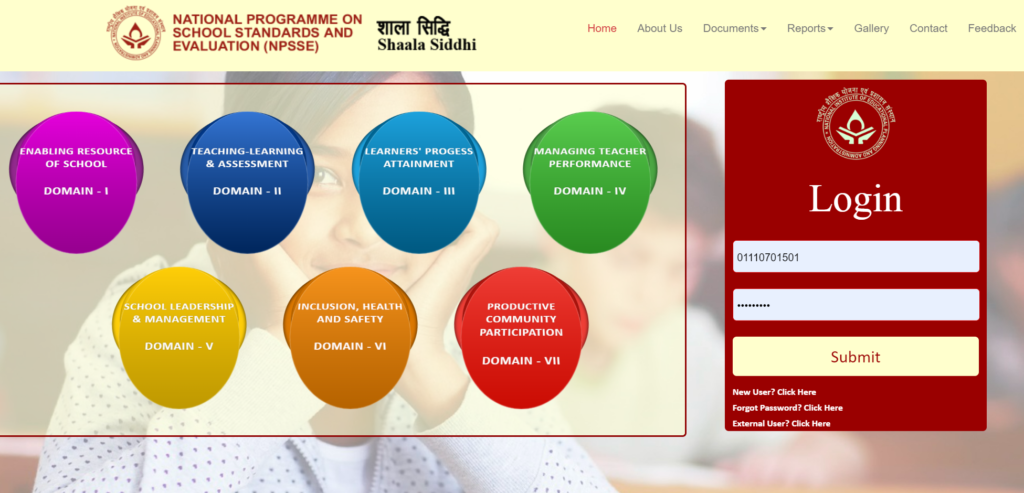
Step 3: Enter Login Credentials
You will be asked to enter:
Application Number
Date of Birth (as mentioned in the application form)
Security PIN / Captcha code
Step 4: Submit the Details
After entering the correct details, click on the Submit button.
Step 5: View Admit Card
Your admit card will appear on the screen. Carefully check all the details.
Step 6: Download and Print
Download the PDF file and take 2–3 clear printouts for safety.
This simple process explains How to Download Your Sainik School Admit Card correctly and safely.
Details to Check on Your Admit Card
After downloading, do not rush to print immediately. First, verify the following details:
Candidate’s name (spelling must be correct)
Photograph and signature visibility
Exam date and shift timing
Exam centre address
Category and class (VI or IX)
If you find any error, immediately contact NTA through official support channels.
Documents Required Along with Admit Card
On the exam day, candidates must carry:
Printed Sainik School Admit Card
One valid photo ID (Aadhaar Card, School ID, etc.)
Passport-size photograph (same as application)
Failure to produce these documents may result in disqualification.
Add Your Heading Text Here
Candidates must strictly follow the instructions mentioned on the admit card, such as:
Reach the exam centre at least 60 minutes early
Do not carry mobile phones, smart watches, or calculators
Follow dress code guidelines if mentioned
Maintain discipline and follow invigilator instructions
Knowing How to Download Your Sainik School Admit Card is important, but following instructions is equally crucial.
Common Problems While Downloading Admit Card (And Solutions)
1. Forgot Application Number
Check your registered email or SMS sent during application. You can also use the “Forgot Application Number” option if available.
2. Website Not Opening
Due to heavy traffic, the website may be slow. Try:
Opening during non-peak hours
Using a different browser
Clearing cache and cookies
3. Incorrect Details Showing
Immediately contact NTA helpdesk with proof of correct details.
4. Admit Card Not Available
Ensure that:
Admit cards have been officially released
You are entering correct login details
Frequently Asked Questions (FAQ)
Q1. When will the Sainik School Admit Card be released?
The admit card is usually released 7–10 days before the exam date by NTA on the official website.
Q2. Can I download the admit card without an application number?
No, the application number is mandatory. However, you can retrieve it using registered email or mobile number.
Q3. Is a digital copy of the admit card allowed at the exam centre?
No, only a printed hard copy of the admit card is allowed.
Q4. What should I do if there is an error on my admit card?
Immediately contact the NTA helpdesk and wait for official guidance before the exam.
Q5. Can I change my exam centre after admit card release?
No, exam centres once allotted cannot be changed under normal circumstances.
Q6. Is the admit card required after the exam?
Yes, keep it safe until the admission process is completed, as it may be required later.
Q7. Are parents allowed inside the exam centre?
No, only candidates are allowed inside the examination hall.
Conclusion :
Downloading the admit card is one of the most important steps in the Sainik School admission process. With proper guidance and timely action, you can avoid unnecessary tension. This article has explained How to Download Your Sainik School Admit Card in a clear, step-by-step manner so that even first-time applicants can follow it easily.
Make sure you regularly check the official website, keep your login details safe, and prepare well for the exam. A little preparation today can lead to a bright future tomorrow.
We wish all candidates the very best of luck for their Sainik School Entrance Examination! 🇮🇳🎓