Table of Contents
ToggleSainik School Class 6 Admit Card 2026: Complete Download Guide, Exam Day Rules & Parent Tips
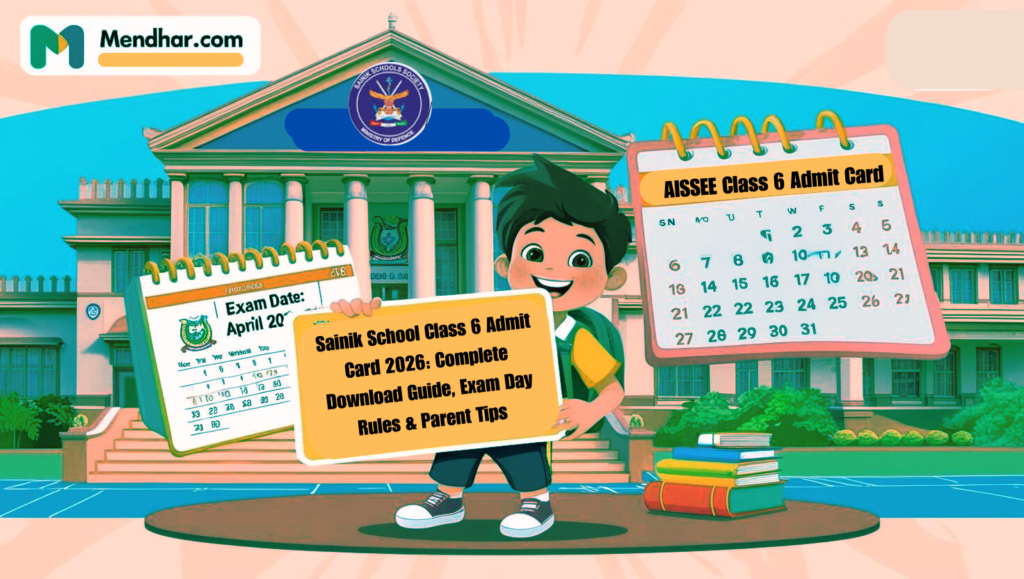
The Sainik School Entrance Examination (AISSEE) for Class 6 is a dream opportunity for thousands of students across India who aspire to receive quality education along with discipline, leadership, and a defence-oriented environment. As the examination date comes closer, the most important document every student needs is the Sainik School Class 6 admit card.
Many parents, especially from rural and remote areas, face confusion while downloading the admit card or understanding the instructions printed on it. This article has been written to clearly explain how to download the Sainik School entrance test Class 6 admit card, what details to check, exam day instructions, and important advice for parents and students.
What Is the Sainik School Class 6 Admit Card 2026?
The Sainik School Class 6 admit card is an official hall ticket issued by the National Testing Agency (NTA) for students appearing in the All India Sainik School Entrance Examination (AISSEE). It acts as proof that the student has successfully registered and is eligible to appear for the examination.
Without a valid admit card, no student is allowed to enter the examination centre, regardless of preparation or eligibility.
When Is the Sainik School Class 6 Admit Card 2026 Released?
Usually, the Sainik School Class 6 admit card is released 10 to 15 days before the exam date. The admit card is made available only online, and parents must download it from the official AISSEE website.
There is no offline or postal delivery, so checking the website regularly is very important.
Official Website to Download Sainik School Admit Card
Parents should download the admit card only from the official AISSEE portal maintained by NTA. Avoid third-party websites or unofficial links, as they may provide incorrect or misleading information.
Step-by-Step Process to Download Sainik School Entrance Test Class 6 Admit Card 2026
Follow these steps carefully to download the admit card without any problem:
Step 1: Visit the Official AISSEE Website
Open the official website in a reliable browser such as Google Chrome or Mozilla Firefox.
Step 2: Click on the Admit Card Link
Look for the link that mentions:
“Download AISSEE Class 6 Admit Card”
Step 3: Enter Login Credentials
You will be asked to enter:
Application Number
Date of Birth (as mentioned in the application form)
Make sure the details are entered correctly.
Step 4: View Admit Card
After submitting the details, the Sainik School Class 6 admit card will appear on the screen.
Step 5: Download and Print
Download the admit card and take two to three clear printouts. Keep one copy safely for future reference.
Important Details Mentioned on the Admit Card
Parents must carefully check the following details printed on the admit card:
Student’s full name
Roll number
Date of birth
Photograph and signature
Examination date and reporting time
Examination centre address
Important exam instructions
If any error is found, it should be reported immediately to NTA through official contact details.
Documents Required on Exam Day
Along with the Sainik School Class 6 admit card, students must carry:
Printed copy of the admit card
Valid photo ID (Aadhaar card preferred)
One passport-size photograph
Failure to carry these documents may result in denial of entry.
Common Problems While Downloading Admit Card and Their Solutions
1. Forgot Application Number
Parents can check the registered email ID or SMS received during the application process. The official website also provides a “Forgot Application Number” option.
2. Website Not Loading
Due to heavy traffic, the website may slow down. Try:
Accessing the site early morning or late night
Clearing browser cache
Using a different device or browser
3. Admit Card Not Showing
Ensure correct login details. If the issue continues, wait for some time and try again.
Exam Day Instructions for Sainik School Class 6 Students
Students must strictly follow the instructions mentioned on the admit card:
Reach the examination centre at least 60 minutes before reporting time
Follow the dress code guidelines
Do not carry mobile phones, calculators, smart watches, or electronic gadgets
Follow discipline and instructions given by invigilators
Parents should guide children to remain calm and confident.
Teacher’s Advice for Parents and Students
As a teacher, I strongly suggest parents download the admit card well in advance instead of waiting for the last day. Visiting the examination centre location one day before the exam can reduce stress, especially if the centre is far from home.
Students should revise lightly and avoid heavy study one day before the exam. Proper sleep, a light meal, and positive encouragement from parents can make a big difference in performance.
Frequently Asked Questions (FAQs)
Q1. Is the Sainik School Class 6 admit card 2026 compulsory for the exam?
Yes, the admit card is mandatory. Without it, entry to the exam hall is not allowed.
Q2. Can I download the admit card multiple times?
Yes, you can download and print the admit card any number of times before the exam date.
Q3. Is a digital copy of the admit card acceptable?
No, only a printed copy of the admit card is accepted at the examination centre.
Q4. What if my photograph is unclear on the admit card?
If the photograph is unclear, contact NTA immediately for guidance.
Q5. Can the exam centre be changed after admit card release?
No, once allotted, the exam centre cannot be changed.
Q6. Is Aadhaar card compulsory with the admit card?
Aadhaar card is preferred, but any valid photo ID accepted by NTA can be used.
Conclusion
The Sainik School Class 6 admit card 2026 is a crucial document that every parent and student must handle carefully. Downloading it on time, checking all details, and following exam day instructions can prevent unnecessary stress and confusion.
With proper preparation, guidance, and confidence, students can perform their best in the Sainik School Entrance Examination and move one step closer to their dream of joining a Sainik School.